Upscale images and video with AI, on your own machine.
NextGenUp is a free, open-source AI upscaler. Sharpen photos to 8K and video to 4K, restore faces, and clean up noise — all locally, with no cloud, no subscription and no watermark. An open alternative to Topaz Gigapixel AI and Topaz Video AI.
One app for images, video and faces
Real-ESRGAN and GFPGAN, bundled and running locally — no setup, no accounts, nothing to configure.
Images up to 8K
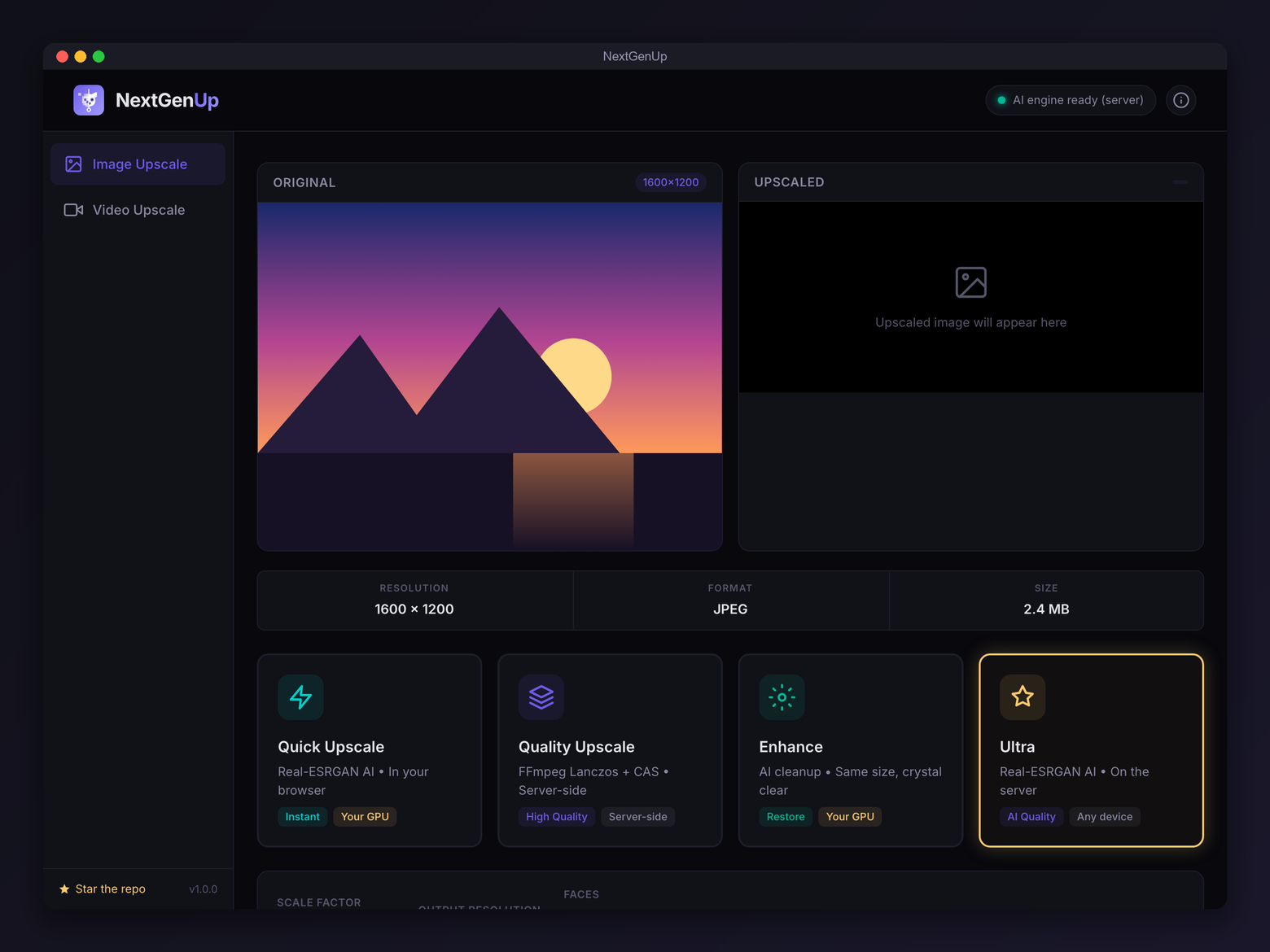
Four modes — Quick, Quality, Enhance and Ultra — from a fast preview to maximum detail.
Video up to 4K
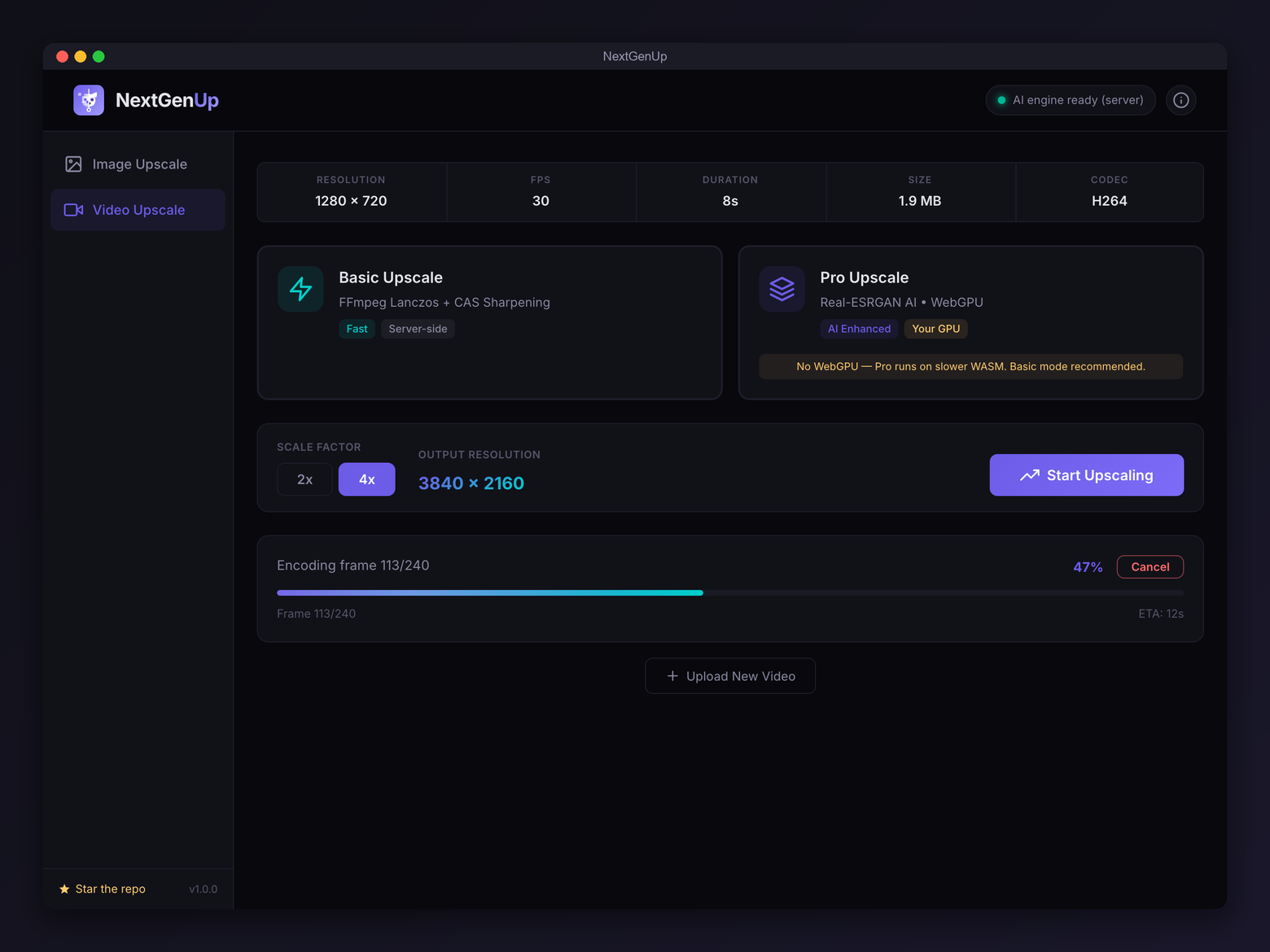
Basic and professional AI modes upscale footage frame-by-frame with FFmpeg.
Face restoration
GFPGAN v1.4 detects faces and recovers the detail generic upscaling misses.
Enhance, don't enlarge
Enhance mode removes noise and blur at the original resolution when you don't need more pixels.
Batch processing
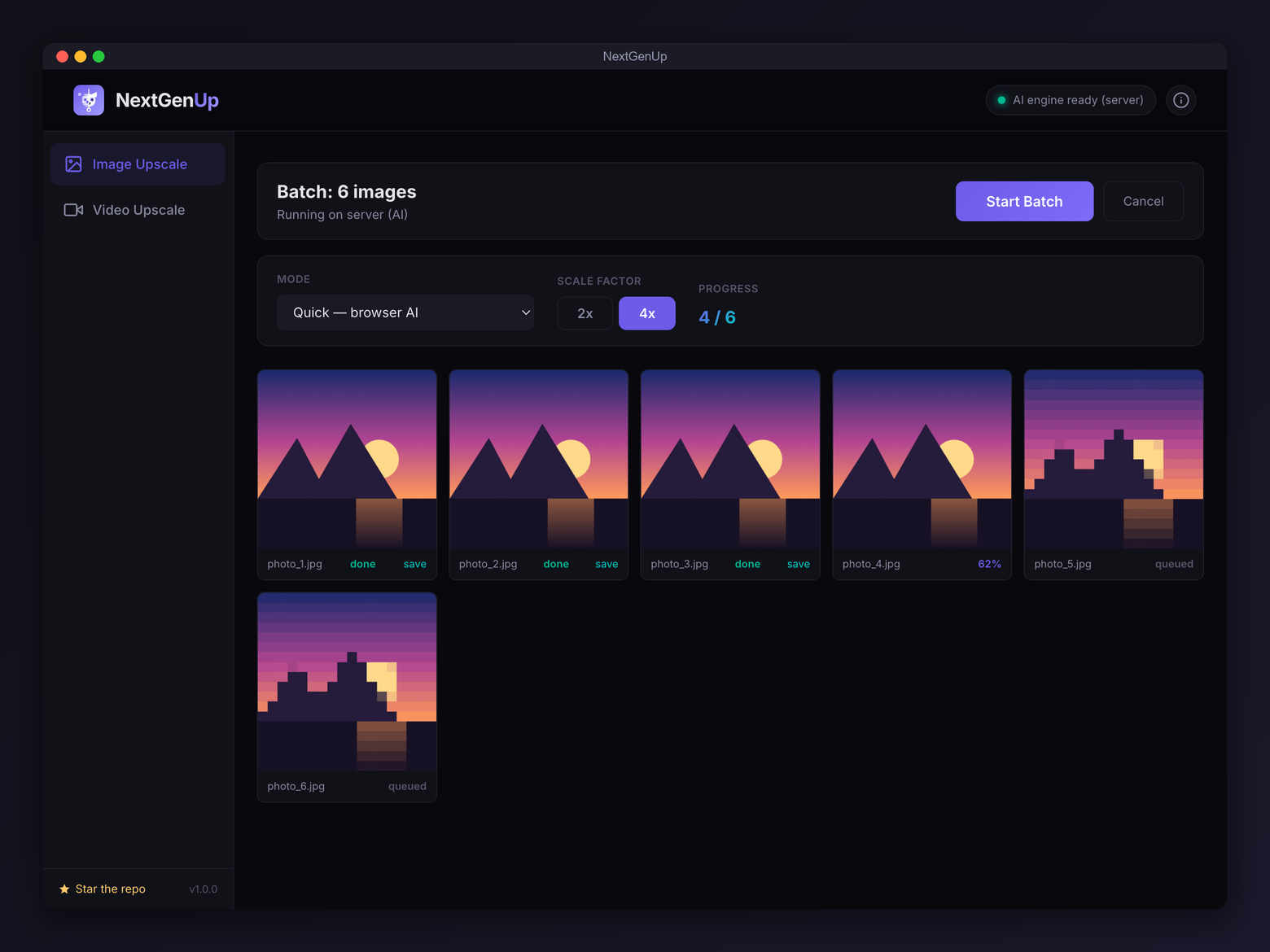
Queue a whole folder of images and export the results together as a zip.
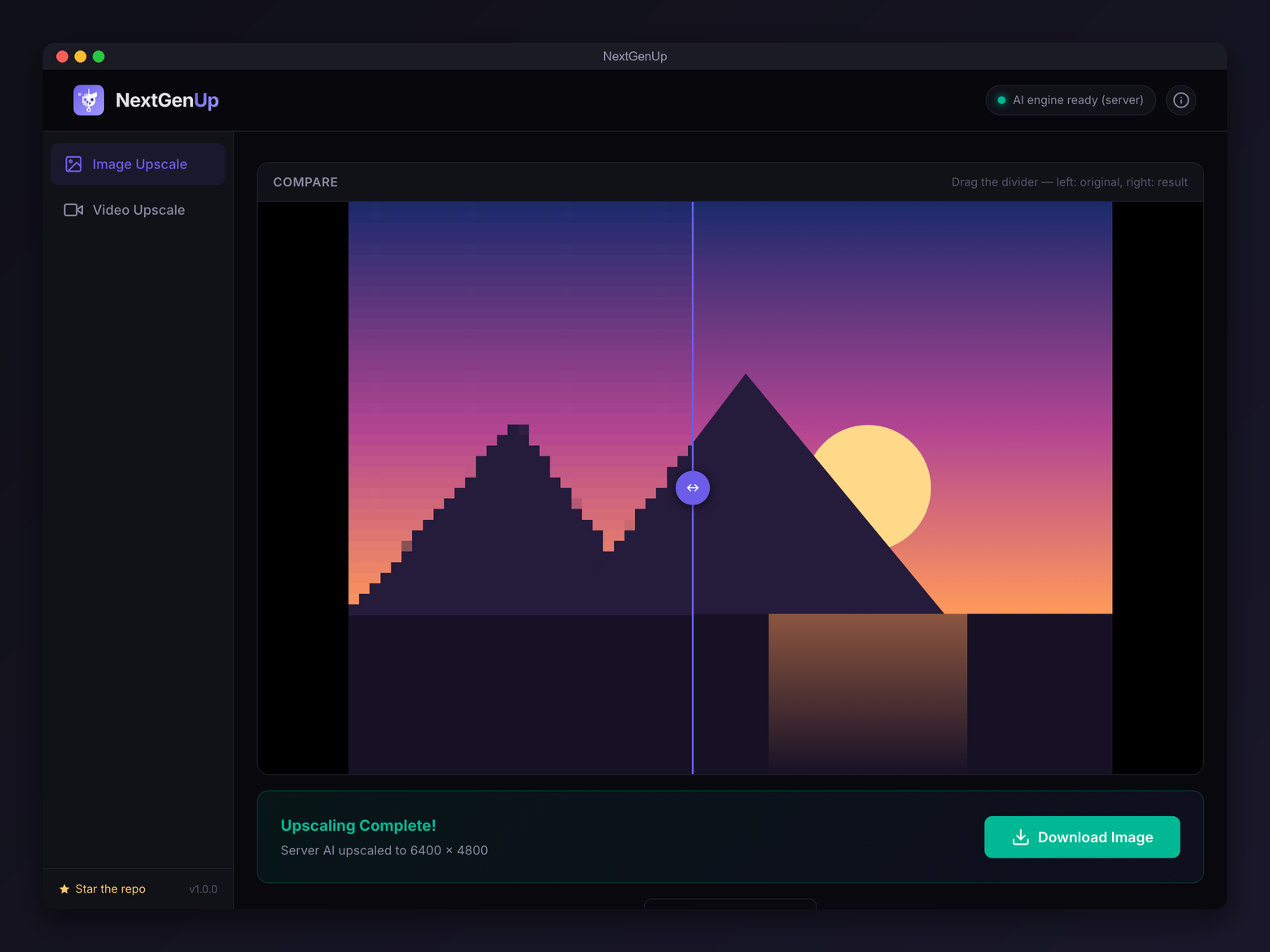
Before / after slider
Drag to compare original and result side by side, then download in one click.
Runs 100% locally
Models, FFmpeg and the server all run on your hardware. Your files never leave your computer.
Cancellable & auto-updating
Stop and restart a job instantly. The desktop app updates itself.
A clean, focused interface
A free alternative to Topaz
Topaz Photo AI and Video AI are excellent — and cost around $199 a year. NextGenUp covers the same core jobs, free and open source.
| NextGenUp | Topaz Photo / Video AI | Upscayl | Video2X | |
|---|---|---|---|---|
| Price | Free · open source | ~$199 / year | Free | Free |
| Image upscaling | Yes — to 8K | Yes | Yes | No |
| Video upscaling | Yes — to 4K | Yes | No | Yes |
| Face restoration | Yes (GFPGAN) | Yes | No | No |
| Runs locally / private | Yes | Yes | Yes | Yes |
| Watermark | None | None | None | None |
Three steps, no learning curve
Drop a file
Drag in an image or video — or point the web app at it from any device on your network.
Pick mode & scale
Choose a mode and how much to upscale. Turn on face restoration if there are people in the shot.
Upscale & download
Press start, compare with the slider, and download the result. Nothing was ever uploaded.
Your photos never leave your computer
No cloud
The AI engine, FFmpeg and the local server all run on your machine. There are no uploads and no external calls to process your media.
No account, no tracking
Nothing to sign up for, no telemetry, no analytics. Install it and use it.
Open source
MIT licensed and fully auditable on GitHub. Built on Real-ESRGAN, GFPGAN and ONNX Runtime, packaged with Tauri.
Questions, answered
Is NextGenUp free?
Yes — completely free and open source under the MIT license. No trial limit, no subscription, no watermark and no account. Topaz Gigapixel AI and Topaz Video AI, by comparison, cost around $199 per year.
Do my files get uploaded to the cloud?
No. Everything runs locally on your machine — the AI models, FFmpeg and the server all execute on your own hardware. Your images and videos never leave your computer.
Is it really a Topaz alternative?
Yes. NextGenUp is a free, open-source alternative to Topaz Gigapixel AI (images) and Topaz Video AI (video), combining image upscaling to 8K, video upscaling to 4K and face restoration in one app — with no subscription and no watermark.
Do I need a GPU?
No. NextGenUp runs on the CPU by default and uses GPU acceleration automatically when one is available. In the browser it can use WebGPU on Chrome or Edge 113 and later.
How far can it upscale?
Images up to 8K with four modes — Quick, Quality, Enhance and Ultra. Video up to 4K with basic and professional AI modes.
Does it restore faces?
Yes, using GFPGAN v1.4, which detects and enhances faces in photos and recovers detail that generic upscaling misses.
Which platforms does it run on?
Desktop apps for macOS (Apple Silicon and Intel), Windows 10 / 11 (64-bit) and Linux (AppImage and .deb), plus a self-hosted web app you can open in a browser on any device on your network.
What AI models does it use?
Real-ESRGAN for super-resolution, GFPGAN v1.4 for face restoration and YuNet for face detection — all bundled and running through ONNX Runtime. The desktop app ships the engine, FFmpeg and models inside it.
Can it batch-process a folder?
Yes. Batch processing upscales many images in one run and exports them together as a zip file.
Is there a watermark or file limit?
No watermark. The web app accepts files up to 2 GB and auto-cleans processed files older than 24 hours; the desktop app keeps everything on your own disk.
Sharper images and video, for free.
Download the desktop app, or run the web app from source. No account, no subscription — just install and upscale.