Your team's own private transfer cloud.
MeghXL runs on one machine on your network, and every device sends and receives files in the browser — no accounts, no third-party cloud, no size limits. A self-hosted alternative to WeTransfer and LocalSend that keeps your files on your own hardware.
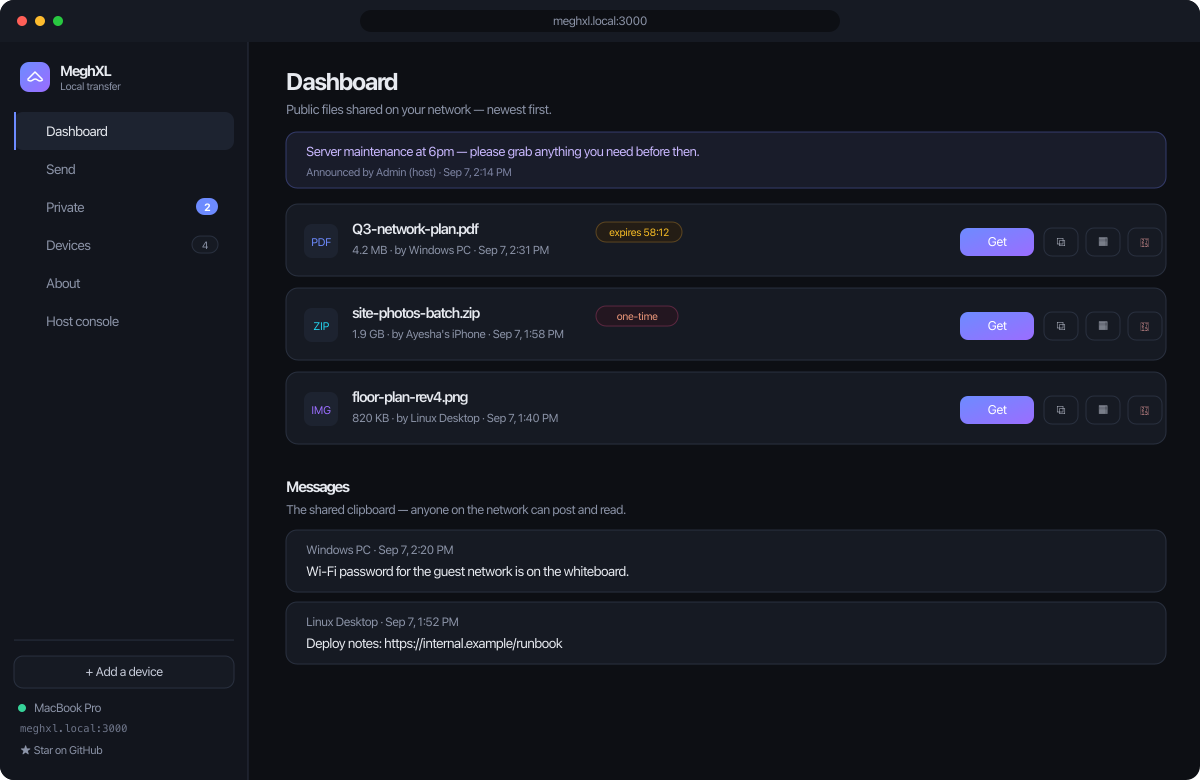
Everything a transfer cloud does — on your network
One host, a live dashboard, and any browser on the LAN. Tiny, readable, and privacy-first by design.
Drag, drop, done
Files appear on every connected device instantly through a live WebSocket dashboard.
QR codes & links
Every file gets a scannable QR and a shareable link — open it in any browser, no app needed.
Public or private
Share to the whole network, or keep a file private behind an unguessable 128-bit link.
One-time & expiring
Burn-after-download links and auto-expiry, so sensitive files don't linger.
Shared board
A network-wide clipboard and message board — post text and notes anyone can read.
Host console
An admin view at /admin for devices, files, storage and announcements.
No size limit
Files stream straight to disk, so the only limit is the host machine's free space.
Finds itself
Friendly mDNS naming — reach the host at meghxl.local:3000, no IP hunting.
A dashboard for everyone, a console for the host
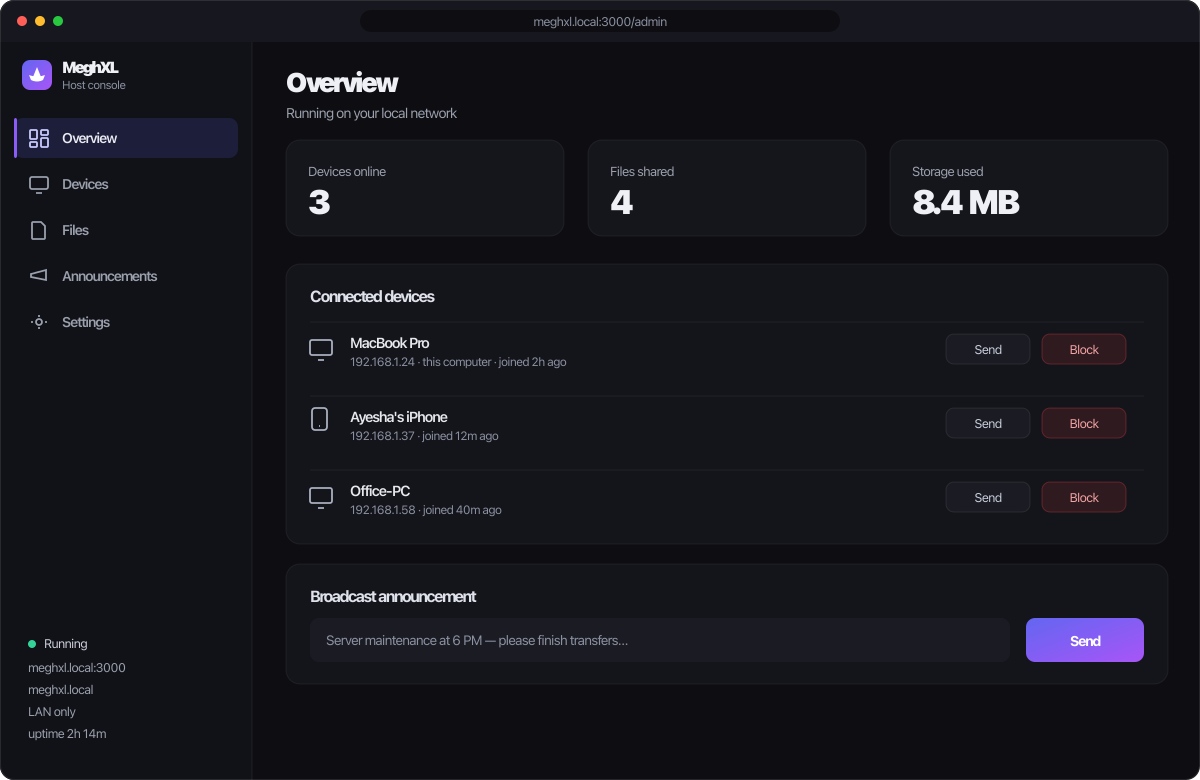
A self-hosted WeTransfer, without the cloud
MeghXL keeps files on your own network. No uploads to someone else's servers, no plan-based size caps.
| MeghXL | LocalSend | PairDrop / Snapdrop | WeTransfer | |
|---|---|---|---|---|
| Receiver install | None — just a browser | App required | Browser on both ends | Browser |
| Files leave your network | Never | Never | Never | Yes — to the cloud |
| Size limit | Disk only | Disk only | Varies | Plan-based |
| Works offline | Yes | Yes | Yes (self-hosted) | No |
| Persistent shared board | Yes | No | No | No |
| Admin / host console | Yes | No | No | No |
| Price | Free · open source | Free | Free | Free / paid plans |
One host, everyone else just opens a link
Run the host
Install the desktop app on one machine — or npm start — and MeghXL prints a URL and a QR code.
Open it anywhere
On any phone or laptop on the network, scan the QR or visit meghxl.local:3000. No app, no account.
Drag & drop
Drop a file and it appears for everyone instantly. Share it public, private, one-time or expiring.
Your files never touch the internet
LAN-only
MeghXL never exposes itself to the internet unless you explicitly put it behind an authenticated reverse proxy. Files stay on your network.
No telemetry
No identifiers, filenames or usage data. The only outbound call is one GitHub check when you press "Check for updates", cached for an hour.
Open & auditable
Apache-2.0, tiny and readable, with 128-bit URL-safe file tokens and a full threat model in SECURITY.md. Built on Node and Tauri.
Questions, answered
Is MeghXL free?
Yes — completely free and open source under the Apache 2.0 license. No accounts, no paid tiers, no subscriptions.
Do my files get uploaded to the cloud?
No. MeghXL is LAN-only by design. Files stay on the host machine on your own network and never leave it unless you explicitly configure remote access behind an authenticated reverse proxy.
Is it a WeTransfer alternative?
Yes — a self-hosted one. Instead of uploading to WeTransfer's cloud, you run MeghXL on a machine on your own network and share through the browser. It also works as a LocalSend or Snapdrop alternative, but adds a persistent shared board, links, QR codes and an admin console.
Does the receiver need to install anything?
No. Receiving devices just open a link or scan a QR code in any modern browser — Android, iOS or desktop. No app, no account.
Is there a file-size limit?
No. Files stream directly to disk instead of being held in memory, so the only limit is the free space on the host machine.
What platforms does the host run on?
Desktop apps for macOS (Apple Silicon and Intel), Windows 10 / 11 and Linux (AppImage and .deb), or any machine with Node.js 18+. Only one machine runs the host; everyone else uses a browser.
How is it different from LocalSend or Snapdrop?
Those are peer-to-peer and one-shot. MeghXL is hub-and-spoke — one host serves every browser on the network — which adds a persistent shared board, public and private files, one-time and expiring links, a shared clipboard, and a host console.
Is it secure and private?
LAN-only, no telemetry, and every file token is a 128-bit URL-safe random string. The only outbound request is a single GitHub call when you manually check for updates. No identifiers, filenames or usage data are collected.
Can I access it from outside my network?
Only if you choose to — remote access is off by default. You can optionally put the host behind an authenticated reverse proxy; otherwise MeghXL never touches the internet.
What does "MeghXL" mean?
"Megh" means cloud. MeghXL is a private cloud at scale for your local network — the convenience of a transfer cloud, hosted entirely on your own hardware.
Spin up your own transfer cloud in a minute.
Download the host for your machine, or clone and npm start. Everyone else just opens a link.