 MaxRAR
Know what you unpack.
MaxRAR is a free, open-source archive manager for Windows, macOS and Linux. Browse, inspect, scan and extract ZIP, 7z, TAR and RAR archives — and see what's inside before anything touches your disk.
A lightweight alternative to WinRAR and 7-Zip that opens RAR files without installing WinRAR.
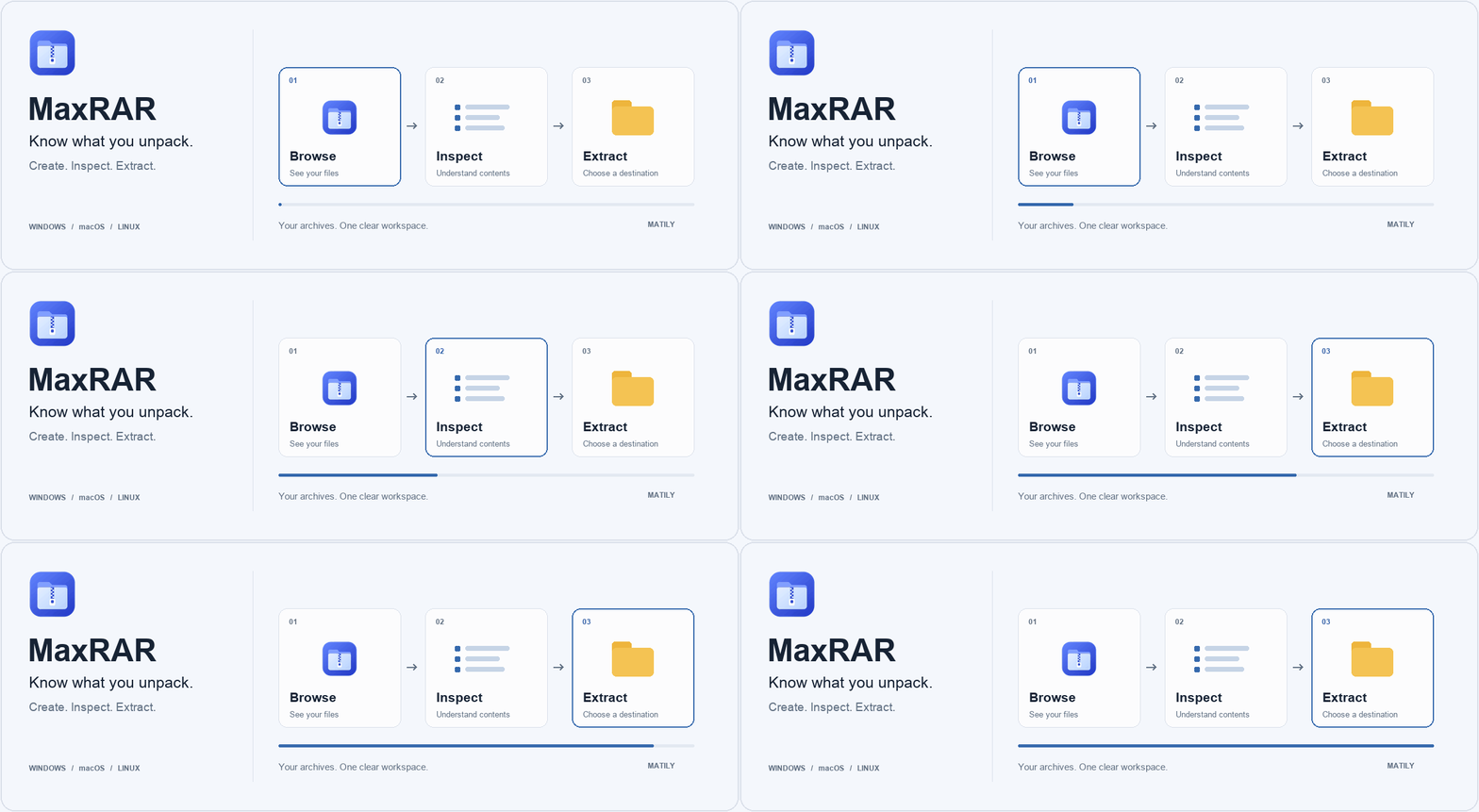
Illustrative animation of the Browse → Inspect → Extract workflow.
MaxRAR in one look
- Price
- FreeOpen source, no paid tier
- License
- Apache-2.0Third-party parts keep their own licenses
- Platforms
- Windows · macOS · LinuxWindows x64, Mac Apple Silicon & Intel, Linux x64
- Opens
- ZIP · 7z · TAR · RARSingle-volume RAR4 and RAR5
- Creates
- ZIP · 7z · TAROptional AES-256 on ZIP and 7z · not RAR
- Status
- v0.1.1 · testingEarly release; installers not yet signed
Details from the project README and release page · last checked October 17, 2026.
Browse. Inspect. Extract.
Most archive tools extract first and let you find out later. MaxRAR shows you what's inside, checks it locally, and lets you choose where it goes.
Browse
Open an archive by double-click or drag-and-drop. Explore folders, search filenames and preview supported text.
Inspect
See a file-type breakdown, a plain-language guess at what the archive is, and the likely starting file. Run Test or Scan.
Extract
Review the destination and pick Skip, Keep both or Replace for conflicts — or extract only the entries you choose.
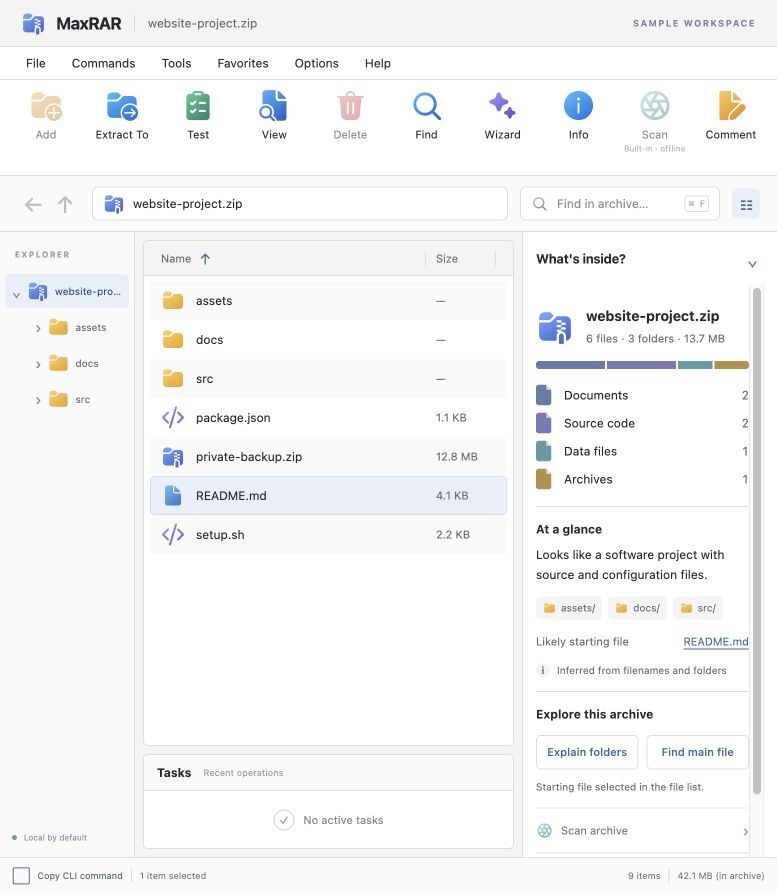
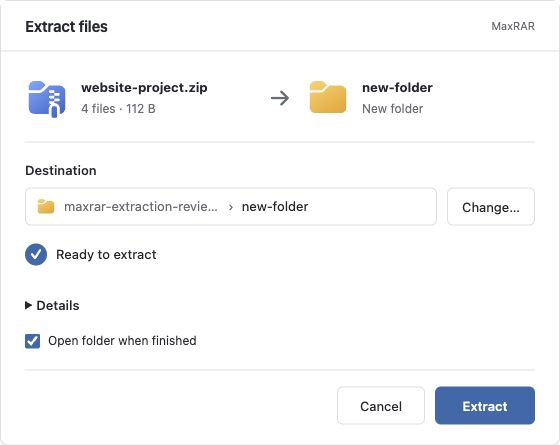
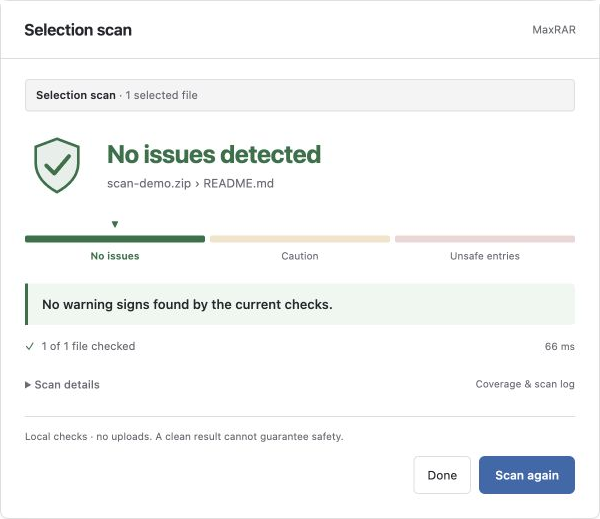
Screens show sample data, including development preview screens. They illustrate the workflows and are not a record of cross-platform release validation.
What MaxRAR can open and create
It opens RAR but cannot create it. Here is the full picture for version 0.1.1.
| Format | Browse, extract & test | Create |
|---|---|---|
| ZIP | Yes, for enabled codecs | Deflate; optional AES-256 |
| 7z | Yes, for enabled codecs | LZMA2; optional AES-256 |
| TAR, TAR.GZ, TAR.BZ2, TAR.XZ, TAR.ZST | Yes, for supported variants | Yes |
| GZ, BZ2, XZ, ZST | Single decoded file | Single input file |
| RAR4 / RAR5 (single volume) | Yes — including supported solid and encrypted archives | Not supported |
MRAR (.mrar)Experimental | Experimental /0 and /1 | Experimental /1 |
Not supported: RAR creation, multipart/split volumes, self-extracting RAR, and archive repair. ZIP supports staged deletion and comment edits; other formats have more limited editing. Password protection can leave filenames visible. Need another format? Request it on GitHub.
MaxRAR vs WinRAR vs 7-Zip
An honest comparison, including where the others are ahead. MaxRAR is an early release, so it does not match their full feature sets.
| MaxRAR | WinRAR | 7-Zip | |
|---|---|---|---|
| Price | Free · open source | 40-day trial, then a paid license (about $29 for one user) | Free |
| Opens & extracts RAR | Yes (RAR4/RAR5, single volume) | Yes | Yes |
| Creates RAR | No | Yes | No (extract only) |
| Windows app | Desktop app | Desktop app | Desktop app |
| macOS | Desktop app (Apple Silicon & Intel) | Command-line only | Command-line (console) version |
| Linux | Desktop app (DEB, RPM, AppImage) | Command-line | Command-line (console) version |
| Maturity | Early release (v0.1.1) | Long established | Long established |
Choose WinRAR if you need to create RAR archives or multipart volumes. Choose 7-Zip for a long-established free tool on Windows. Choose MaxRAR if you want a free desktop app on Mac or Linux that opens RAR, shows what's inside first, and runs a local check. Sources: WinRAR FAQ · WinRAR shop · 7-Zip downloads · 7-Zip license. Prices and features change; check the vendors for current details.
MRAR/1 was 53.5% smaller than ZIP in our test
MaxRAR's own archive format groups related small files, compresses the index and verifies content with SHA-256. Here is the exploratory result, with its limits.
| Format | Archive size | Create time |
|---|---|---|
| MRAR/1 Experimental | 27.6 MiB | 22.1 s |
| ZIP | 59.4 MiB | 6.0 s |
| 7z | 26.3 MiB | 302.2 s |
| TAR.ZST | 30.4 MiB | 3.8 s |
Read this before quoting it. This is an exploratory test: one trial per profile on the same retained synthetic input, with MRAR/1 measured after the others. Timings are MaxRAR writer timings and include inventory and verification work. 7z was slightly smaller (26.3 MiB) but took 302.2 s. Shared compression also cut a related-small-file fixture by 94.6% versus MRAR/0, but grouping can increase memory use and the work needed to read a single file. MRAR is experimental — keep your originals and use established formats for exchange and backups. See all four workloads and exact settings.
What the scan does — and doesn't
MaxRAR is upfront about its limits, because an archive tool that overpromises on safety is worse than none.
Local, no uploads
The built-in scanner runs on your machine. It does not upload archive content or require a separately installed scanner.
Not antivirus
Test checks integrity and checksums. Scan checks structural warnings and bundled static rules. Neither guarantees that content is safe.
Verify your download
Installers are unsigned for now. Compare each file's SHA-256 with the published checksums file before installing.
A JSON command line, same Rust core
Script inspection, scanning and extraction with maxrar-cli. Review a plan before executing it.
# build from source (Rust)
cargo build -p wonrar-cli --release --locked

maxrar-cli inspect ./bundle.zip --json
maxrar-cli test    ./bundle.zip --json
maxrar-cli scan    ./bundle.zip --json --progress
maxrar-cli create  --output ./documents.zip ./documents --json

# review a plan, then execute it
maxrar-cli plan ./bundle.zip --destination ./unpacked --policy skip --json > plan.json
maxrar-cli extract-plan plan.json --json --progress
Pass passwords with --password-stdin, never as command arguments. For automation, bind entry IDs to the reviewed archive with --expect-identity.
How to open a RAR file without WinRAR
Works for single-volume RAR4 and RAR5 archives on Windows, macOS and Linux — about three minutes.
- Install MaxRAR. Download the installer for your computer below. Expect a first-launch warning on Windows and macOS because the app is not yet signed or notarized.
- Open the .rar file. Double-click it, choose Open in MaxRAR, or drag it onto the window.
- Browse and check it. Browse folders, search filenames and preview text. Optionally run Test or Scan.
- Extract. Choose Extract To, review the destination, pick Skip, Keep both or Replace, then Extract.
Multipart/split RAR volumes and self-extracting RAR executables are not supported.
Questions, answered
What is MaxRAR?
MaxRAR is a free, open-source desktop archive manager for Windows, macOS and Linux. It lets you browse, inspect, test, scan and extract ZIP, 7z, TAR and single-volume RAR archives, and create ZIP, 7z and TAR archives. It is licensed under Apache 2.0 and is currently version 0.1.1, available for testing.
Is MaxRAR free?
Yes. MaxRAR is free and open source under the Apache License 2.0, with no paid tier. Third-party components keep their own licenses, and the native UnRAR decoder is under a separate UnRAR license.
Can MaxRAR replace WinRAR or 7-Zip?
MaxRAR is an alternative archive-manager workflow for supported ZIP, RAR extraction, 7z and TAR operations, but it does not currently provide all WinRAR or 7-Zip features. It is an early release, version 0.1.1. Check the supported-format table before choosing it for a particular archive.
Can MaxRAR open or create RAR files?
Open and extract: yes. Create: no. MaxRAR can browse, extract, test, preview and scan supported single-volume RAR4 and RAR5 archives, including solid compression and password-protected contents or headers, with no separate WinRAR or UnRAR installation. RAR creation, multipart volumes and self-extracting RAR executables are not supported.
How do I open a .rar file on a Mac without WinRAR?
Install MaxRAR for your Mac (Apple Silicon or Intel), then double-click the .rar file, choose Open in MaxRAR, or drag it onto the window. Browse the contents, then choose Extract To, review the destination and choose Extract. macOS will warn on first launch because the app is not yet Apple-notarized; open System Settings, then Privacy & Security, and choose Open Anyway.
How do I extract a ZIP or 7z archive?
Open the archive, choose Extract To, review the destination and any conflicts, then choose Extract. You can also extract only selected entries.
Can I create password-protected archives?
Yes. ZIP and 7z creation support optional AES-256 encryption. Filenames may remain visible depending on the format and encryption options.
What is the difference between Test and Scan?
Test checks readability and available checksums to find integrity problems. Scan looks for structural warnings and bundled static rule matches. Scan is limited inspection, not comprehensive antivirus protection, and neither guarantees that content is safe.
Is MaxRAR safe, and does the scanner upload my files?
The built-in scanner runs locally and does not upload archive content or require a separately installed scanner. It is a limited static check, not antivirus, so a clean result is not a guarantee that an archive is safe. You can verify any download against the published SHA-256 checksums.
Why do Windows and macOS warn me when I install MaxRAR?
MaxRAR is not yet signed with a Windows Authenticode certificate and the Mac apps are not Apple-notarized, so both systems warn on first launch. This is expected for unsigned software and does not mean the file is damaged. Compare the file's SHA-256 with the published checksums file before installing, and only continue if they match.
What is the MRAR format, and is it better than ZIP or 7z?
MRAR is MaxRAR's own experimental archive format. MRAR/1 groups related small files, compresses the archive index and verifies content with SHA-256 checks. In one exploratory test on 1 GiB of generated text it produced a 27.6 MiB archive, 53.5% smaller than ZIP, but it is experimental, results vary, and current measurements do not establish a universal advantage. Keep originals and use established formats for exchange and backups.
Which platforms and archive formats does MaxRAR support?
Desktop installers exist for Windows x64, macOS on Apple Silicon and Intel, and Linux x64 as DEB, RPM and AppImage. It browses, extracts and tests ZIP, 7z, TAR variants, single-file GZ, BZ2, XZ and ZST, and single-volume RAR4 and RAR5, and creates ZIP, 7z, TAR variants and the experimental MRAR format.
Get MaxRAR v0.1.1
Free and open source. Choose the package for your computer — version 0.1.1 is available for testing.
certutil -hashfile <file> SHA256 · Mac/Linux: shasum -a 256 <file>). On Windows choose More info → Run anyway; on macOS use System Settings → Privacy & Security → Open Anyway. Only continue if the values match and you downloaded from the project's releases page.
Not sure which Mac you have? Apple menu → About This Mac.